Starting January 15 2026, MyDigital ID will be the main login for various government applications. Most recently, starting May 1 2026, MyJPJ is also required to use MyDigital ID to access services such as licensing and digital road tax.
The registration process only takes a few minutes. Follow the infographic and continue reading this article for the complete guide!
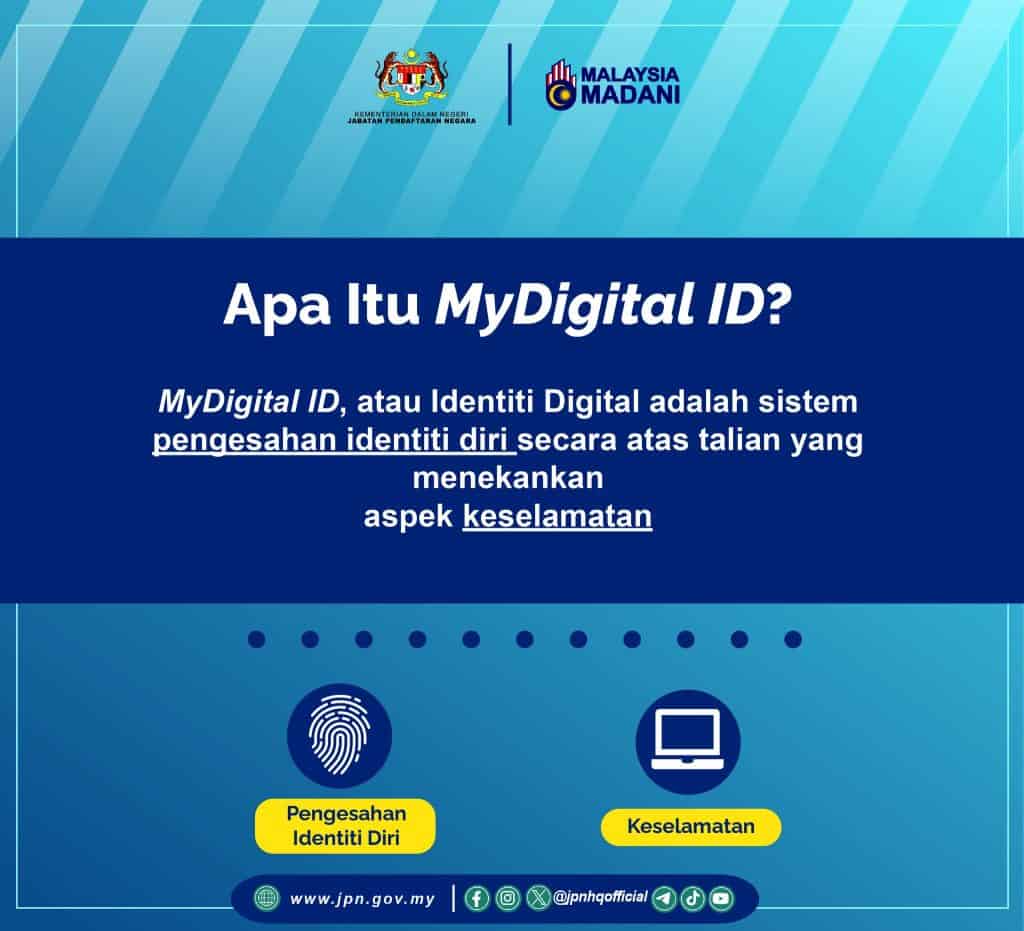
What is MyDigital ID
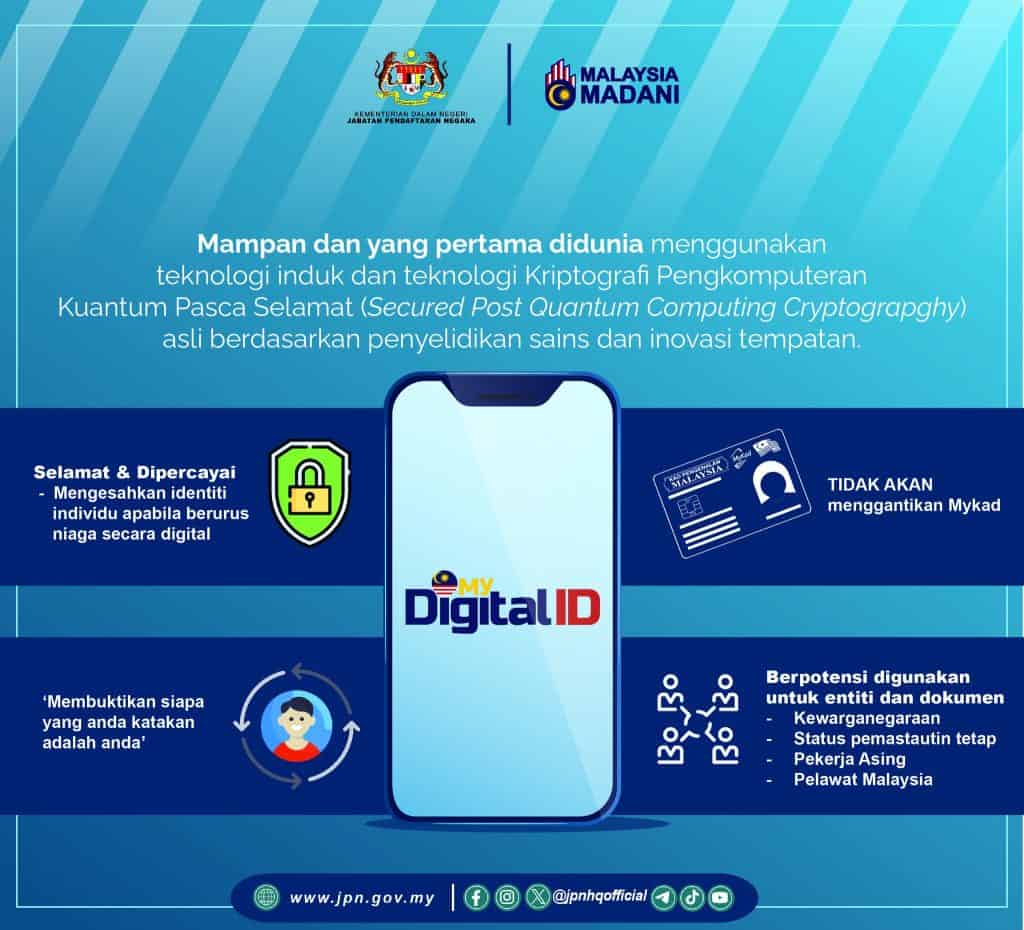
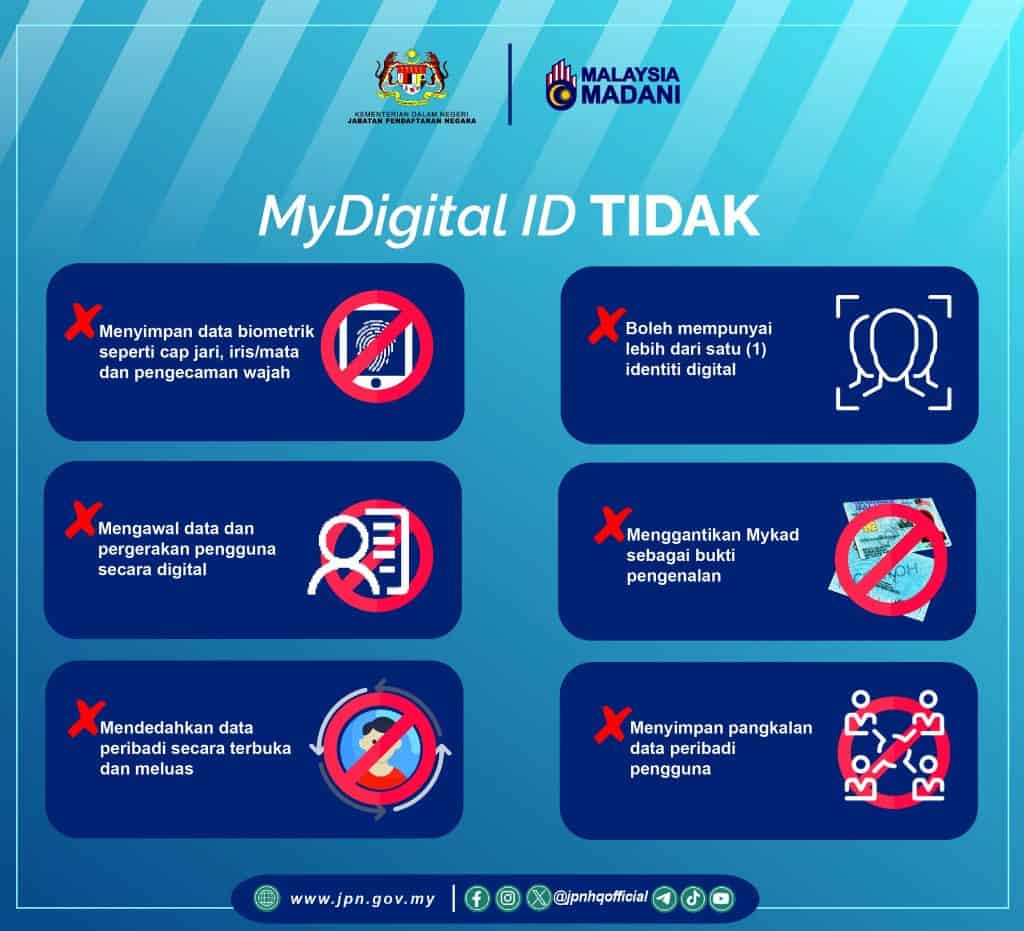
MyDigital ID is a government initiative for secure and trusted digital identity solutions. Identity verification refers directly to the government database, without storing any personal data and does not replace the MyKad system.
It also facilitates access to online applications and portals using just one password.
For Individuals:
- Make things easier by providing access to online services using one password for several applications.
For Business:
- Improve customer experience with a secure, paperwork-free registration process.
Advantages of Registering for MyDigital ID & Its Uses
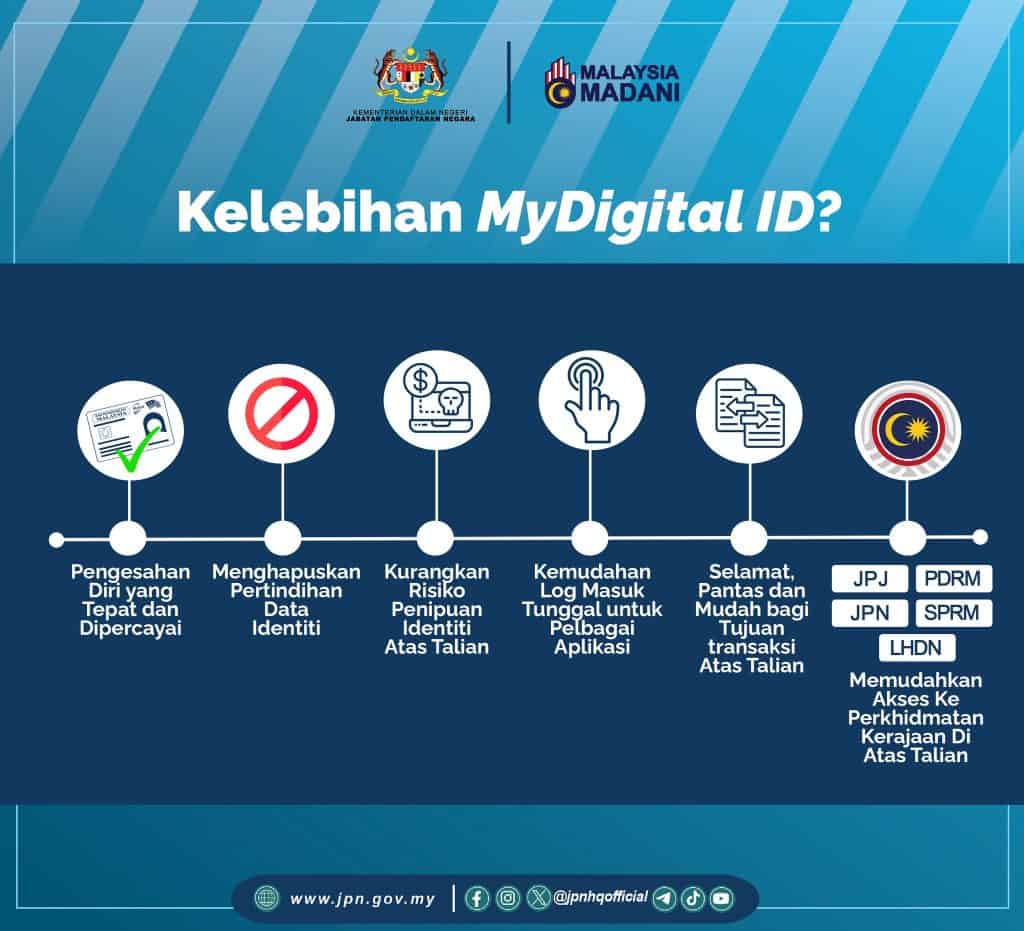
The advantages of this digital ID for Malaysians include:
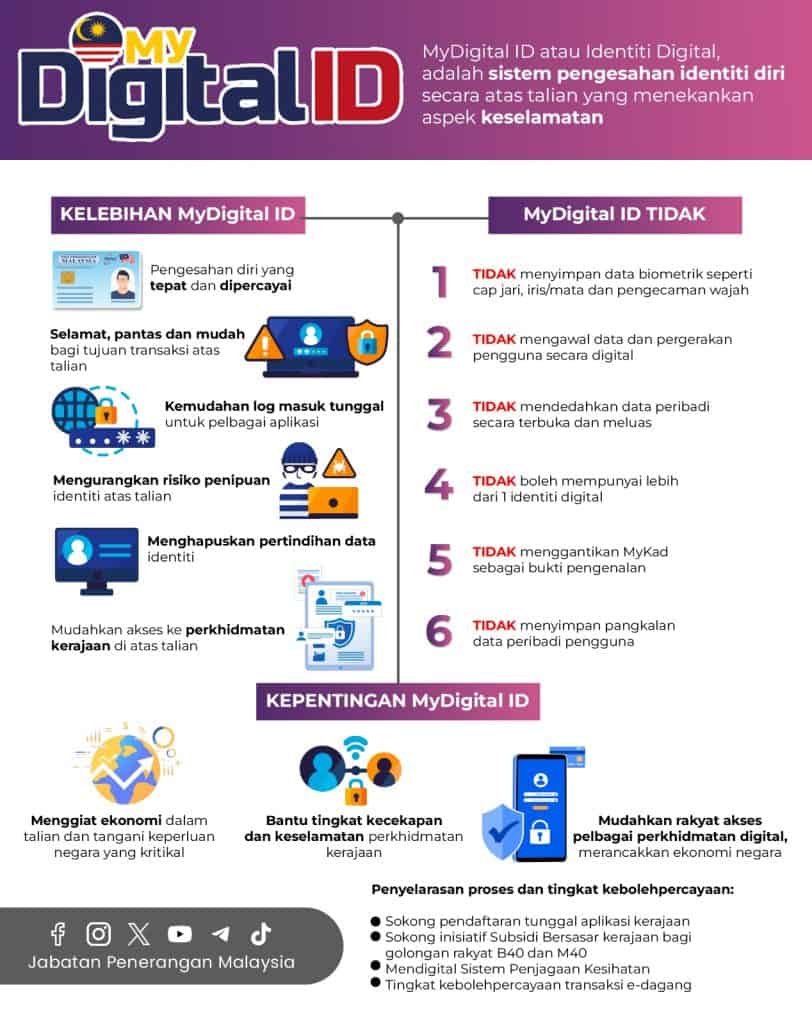
- Accurate and reliable self-verification
- Eliminate duplicate identity data
- Reduce the risk of online identity fraud
- Single sign-on facility for multiple applications
- Safe, fast and easy for online transactions
- Facilitate online access to government services (JPJ, PDRM, JPN, MACC and LHDN)
Apart from that, Digital ID is needed to help the government implement it targeted subsidy programs as well as other programs designed for the people.
Use of MyDigital ID is Increasingly Widespread

Advantages of MyDigital ID
MyDigital ID was introduced not only to make logging in easier, but also to increase the security of users’ digital identities.
Many people are still confused about its function, here are some advantages and important facts you need to know:
1. Not a replacement for MyKad, but more convenient
MyDigital ID is not to replace MyKad, but to complement your digital affairs. With this concept Single Sign-On (SSO)You only need one account to access various government portals without having to remember multiple IDs and passwords. Easier, faster and safer.
2. Not a tool for monitoring society
MyDigital ID does not track your location or online activity. It’s only used when you log in to verify your identity — just proof that “you are you.”
3. No biometric data storage
This app does not store fingerprints or facial data. All functions like face unlock comes from your phone system, not MyDigital ID. Data remains safe on the device itself.
4. Do not use chips or implants
No chips, implants or anything weird. MyDigital ID functions completely digitally with data verification from JPN only.
5. One identity for one individual
Each person can only have one unique MyDigital ID and be active on one device at a time. This helps avoid misuse and ensures a more secure identity.
6. Lost device? Account is still safe
If your phone is lost or damaged, you can cancel your digital certificate via another device or kiosk. The account cannot be accessed without your confirmation, so it is still safe.
7. High security level, hard to hack
MyDigital ID uses a system such as QR scanning without revealing the password, so it is better protected against phishing. The risk of being hacked is very low as long as you keep your device and account secure.
How to Register for MyDigital ID Online
This is how to register online without needing to go to a kiosk:
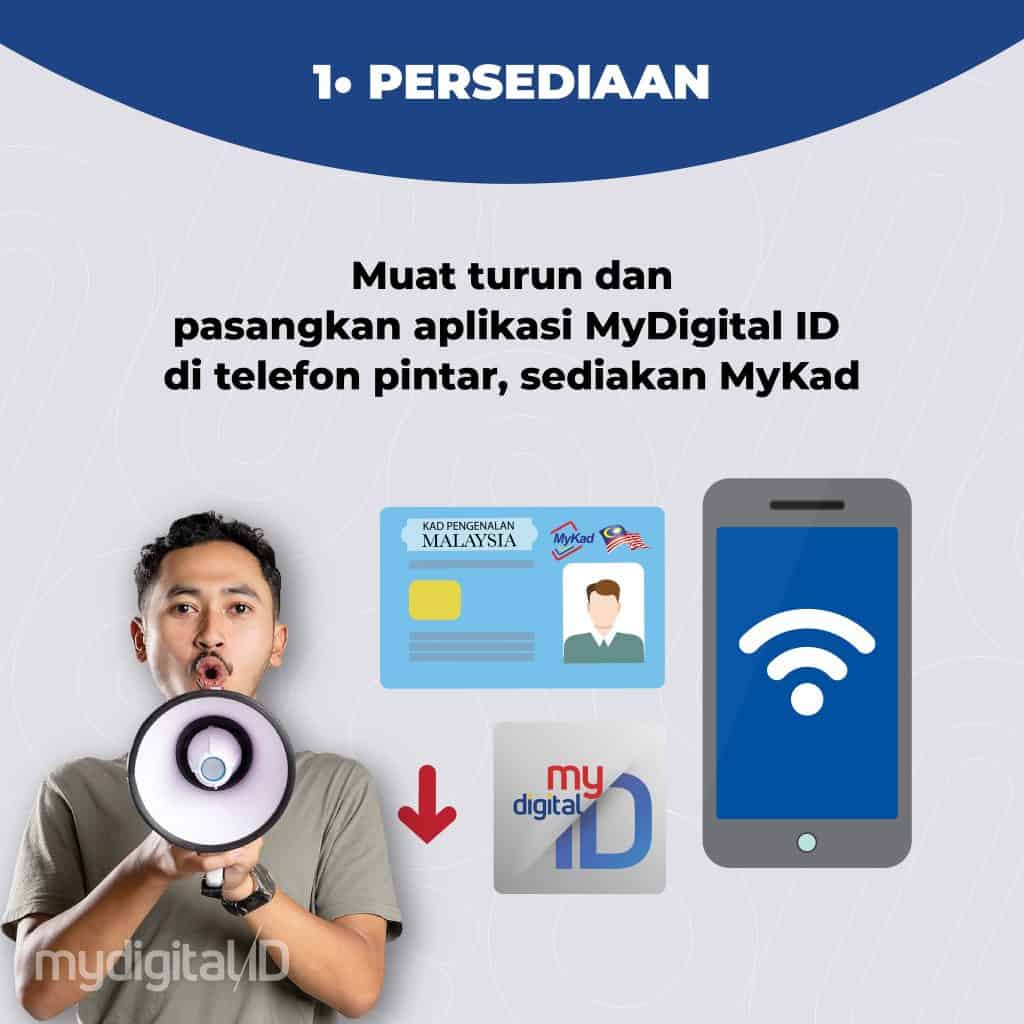
- Download the MyDigital ID application from the App Store, Google Play, or Huawei AppGallery via the link
- Prepare your MyKad before starting the registration process.
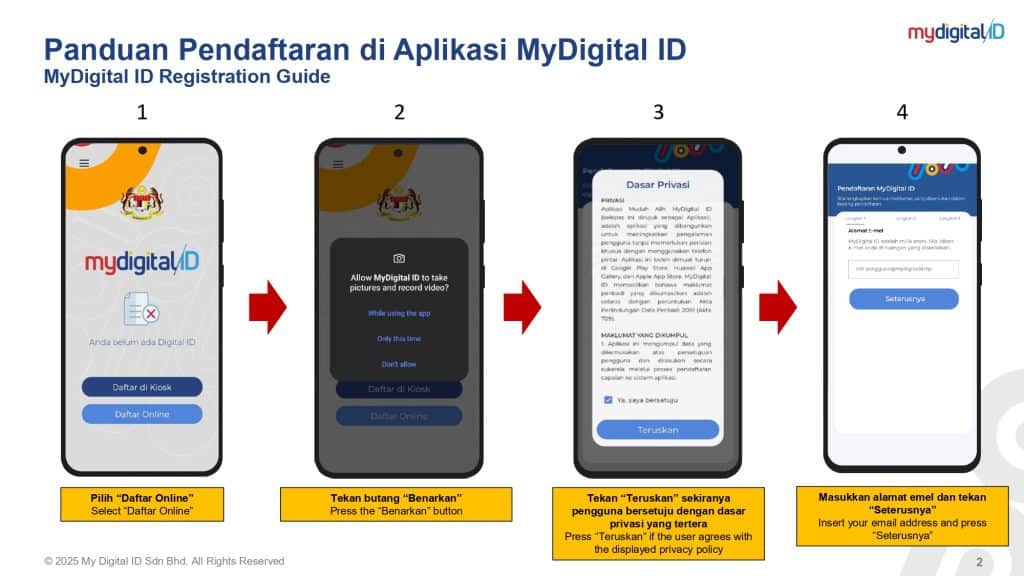
- Open the app and select “Register Online.”
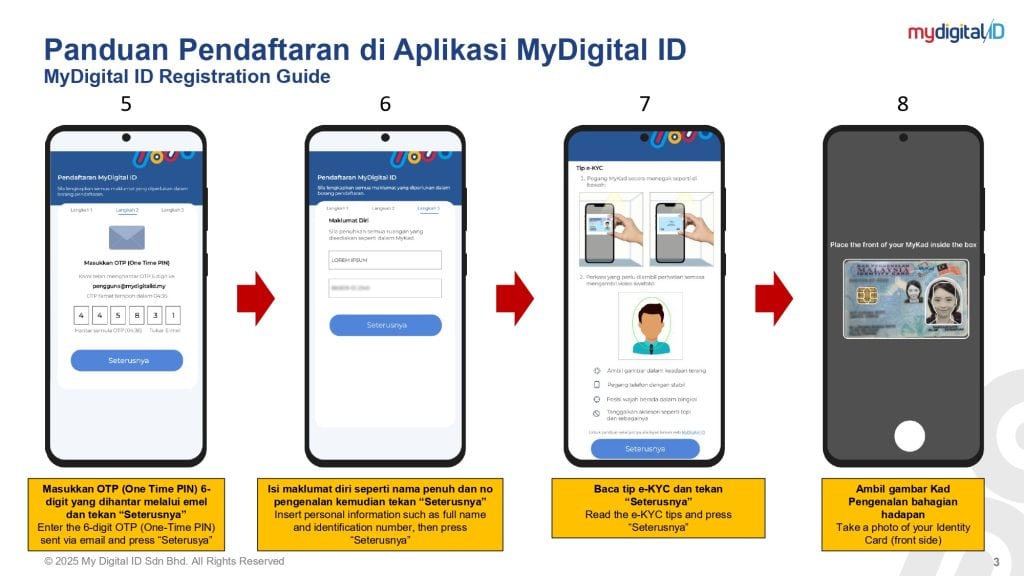
- Enter a valid email address. You will receive a One-Time Password (OTP) in the email.
- Enter the OTP correctly for verification.
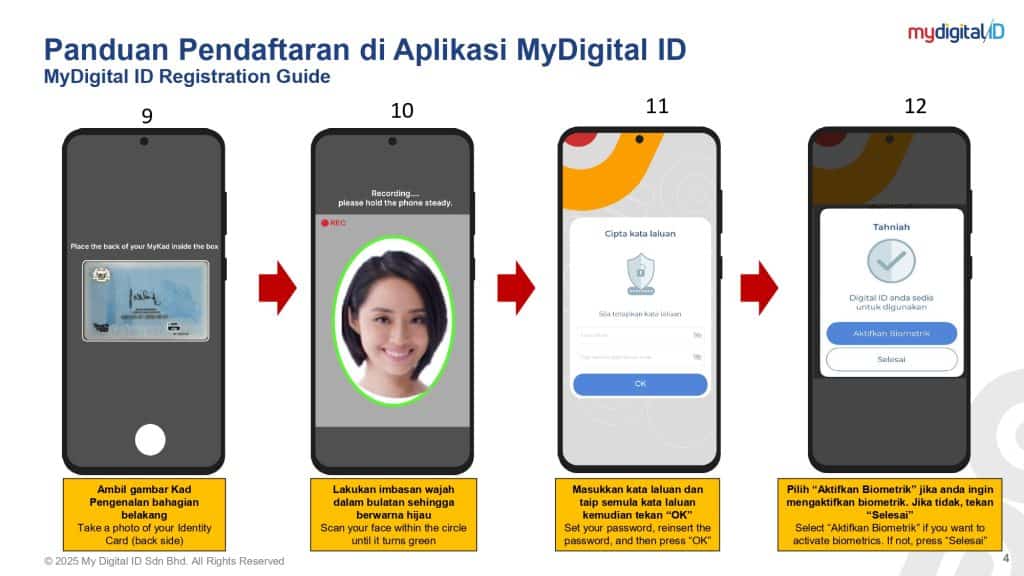
- Fill in your name and ID number as shown on your MyKad.
- Take a picture of your MyKad; front and back, as well as clear face selfies for identity verification purposes.
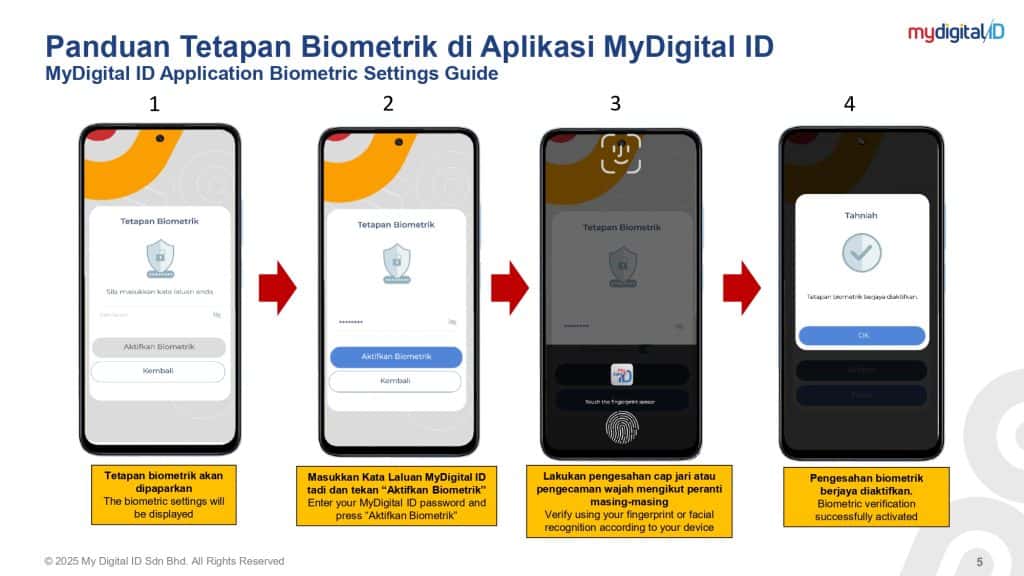
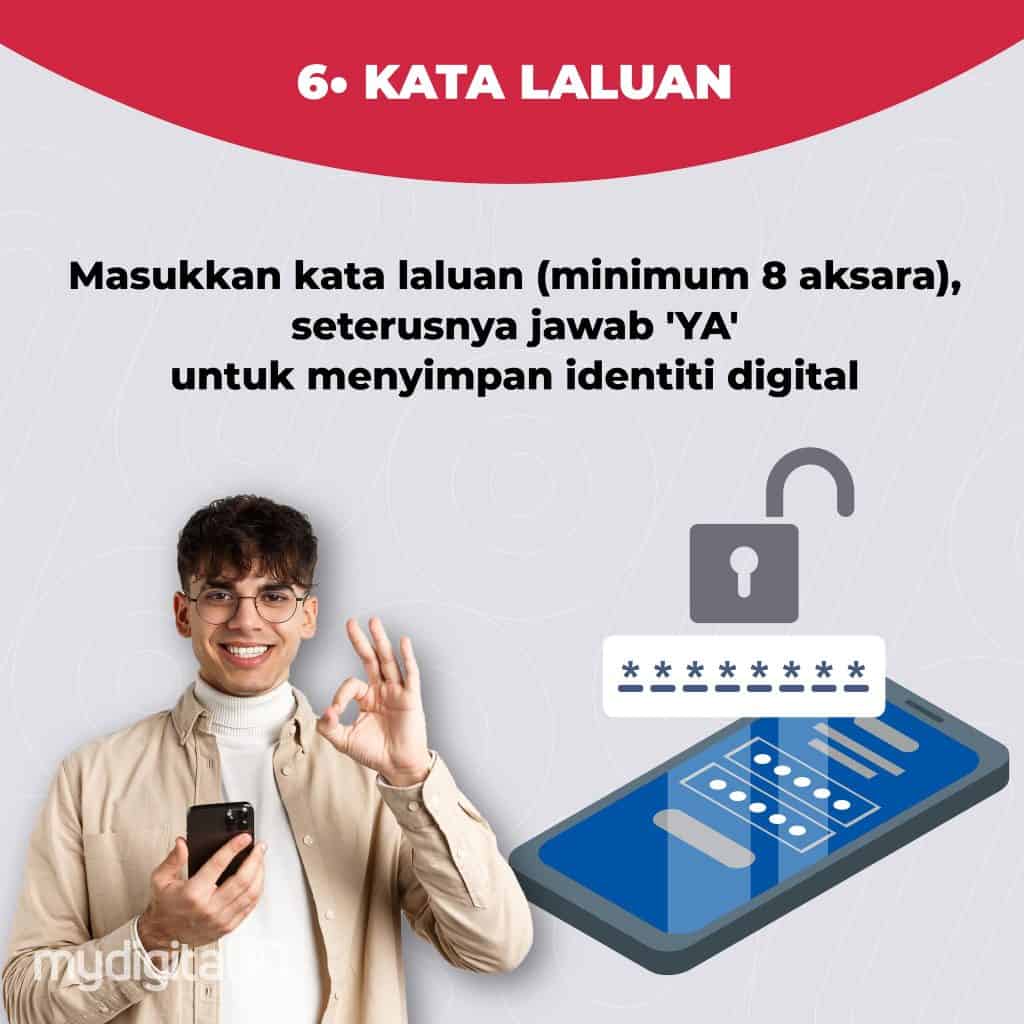
- Create a password and don’t forget to enable biometric authentication to enjoy a faster and easier login method.
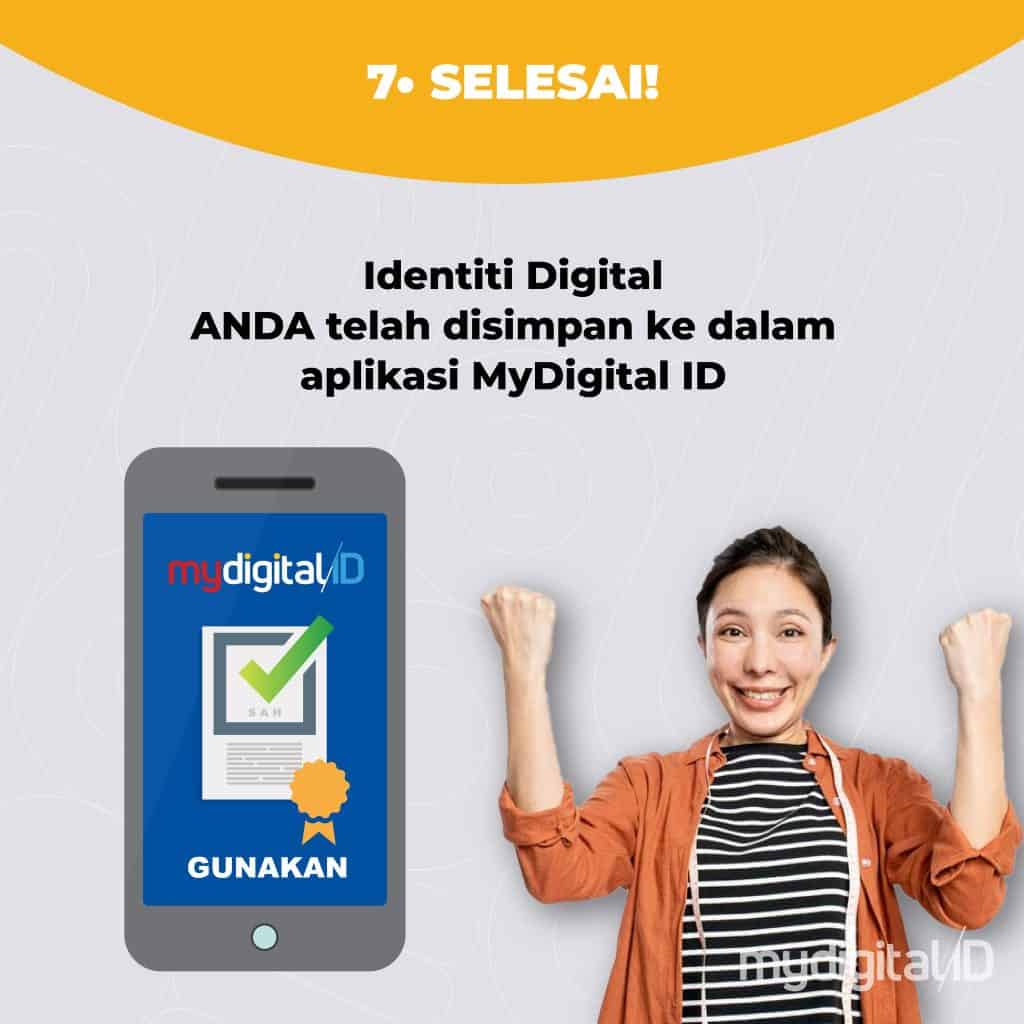
- Finished! Your registration is now successful and your MyDigital ID is ready to use.
How to Register at Kiosk
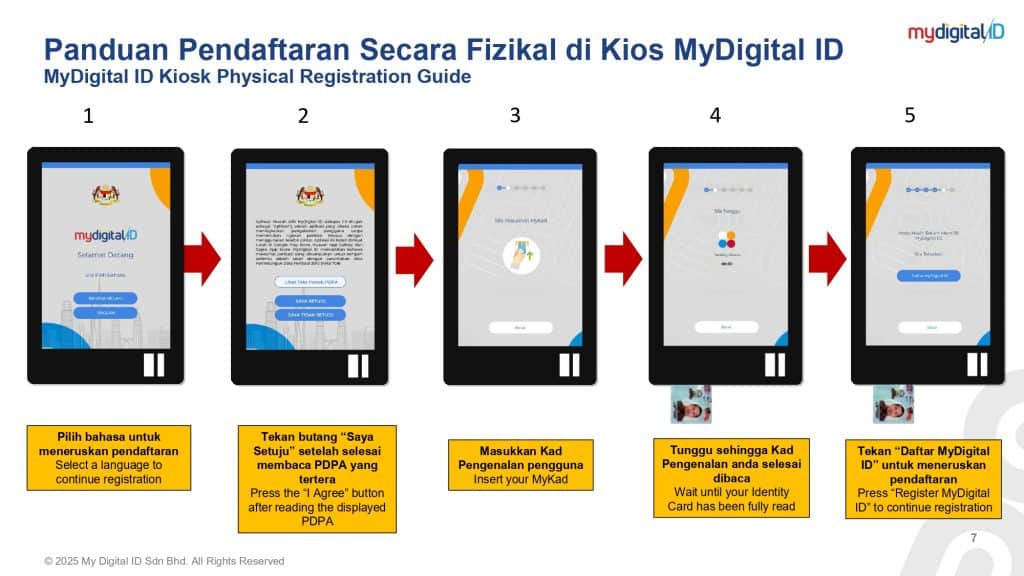
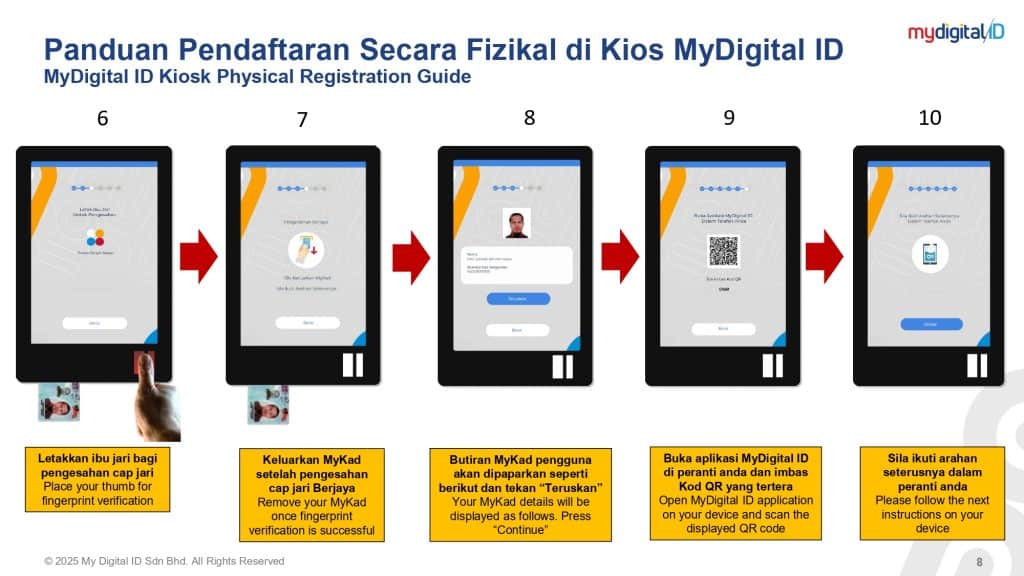
Registration can also be done via Kiosk.
The following are the steps you need to take before registering at an IDN kiosk:
- Download the app My Digital ID on mobile devices/cell phones
- Set a password (8 characters) that will be used to log in
- Bring along your identification card for the verification process at the IDN Kiosk
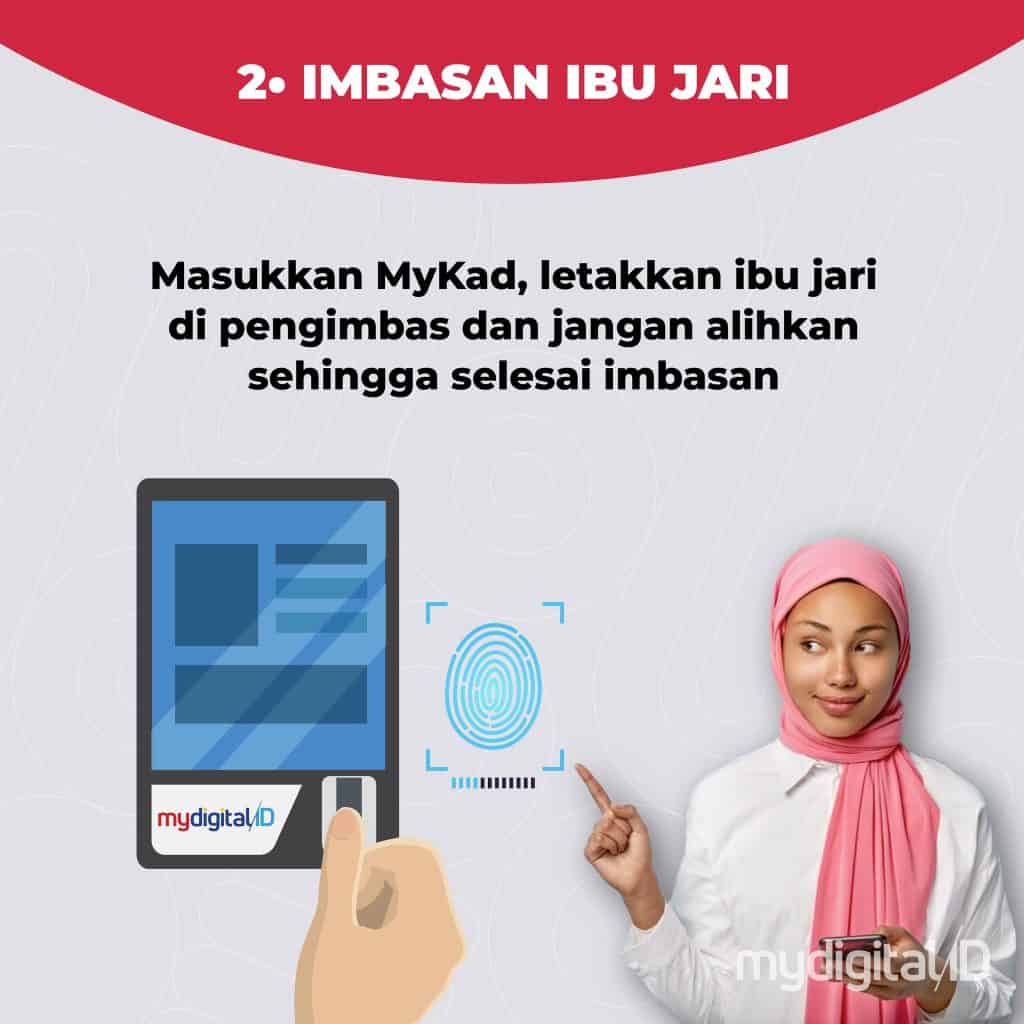
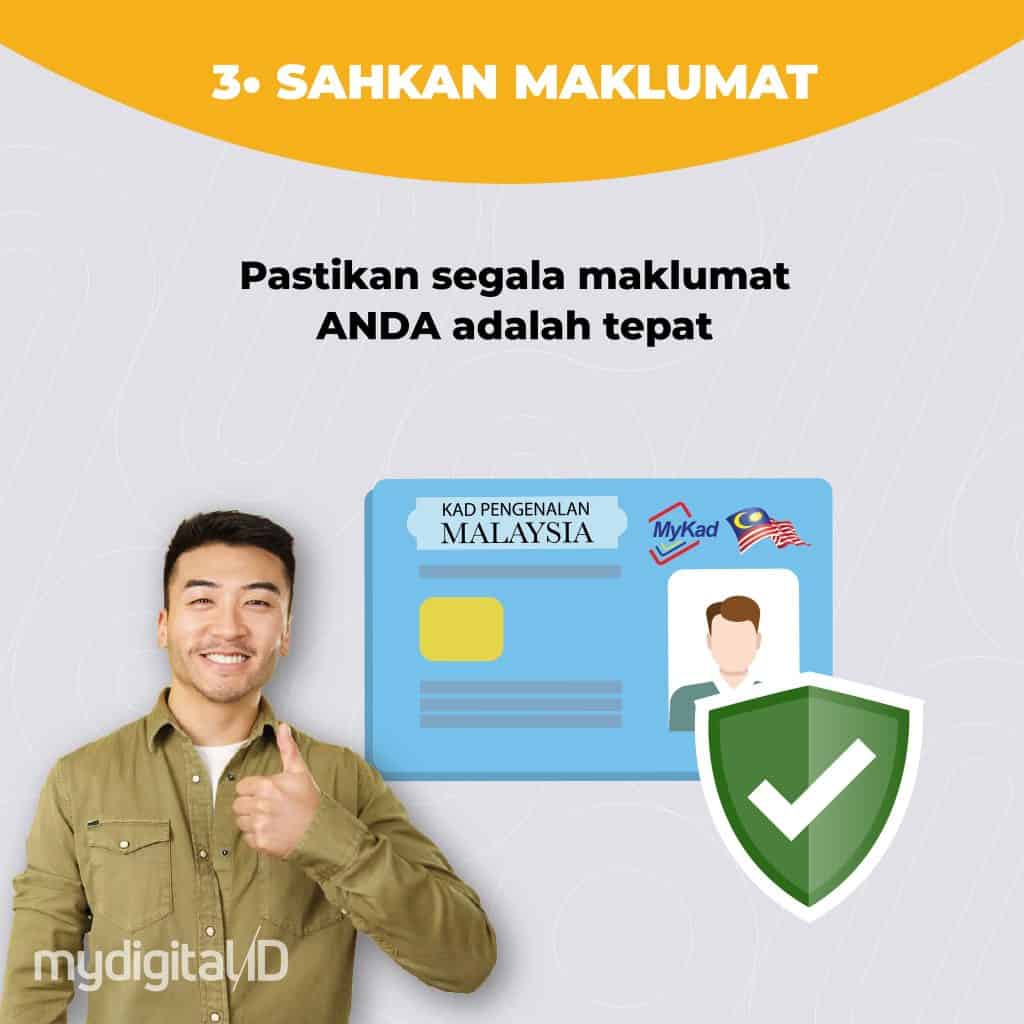
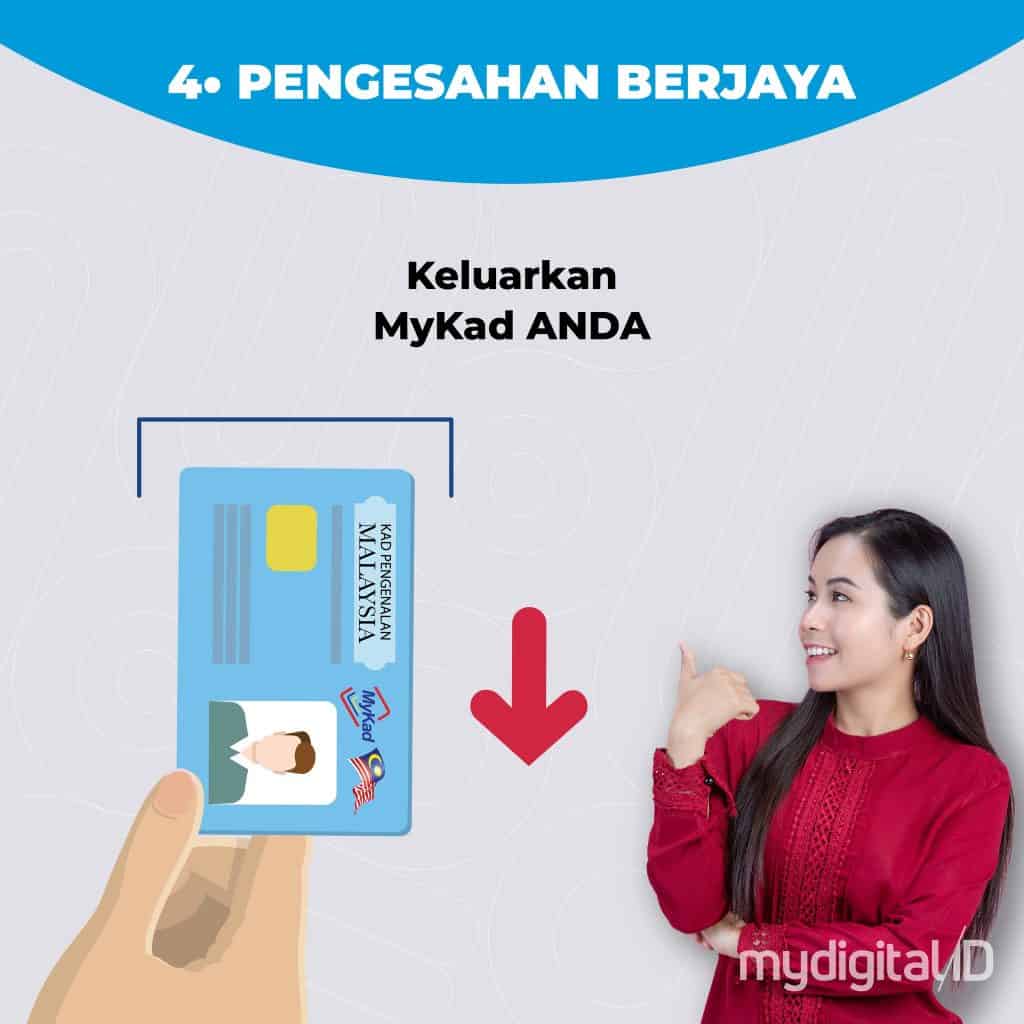
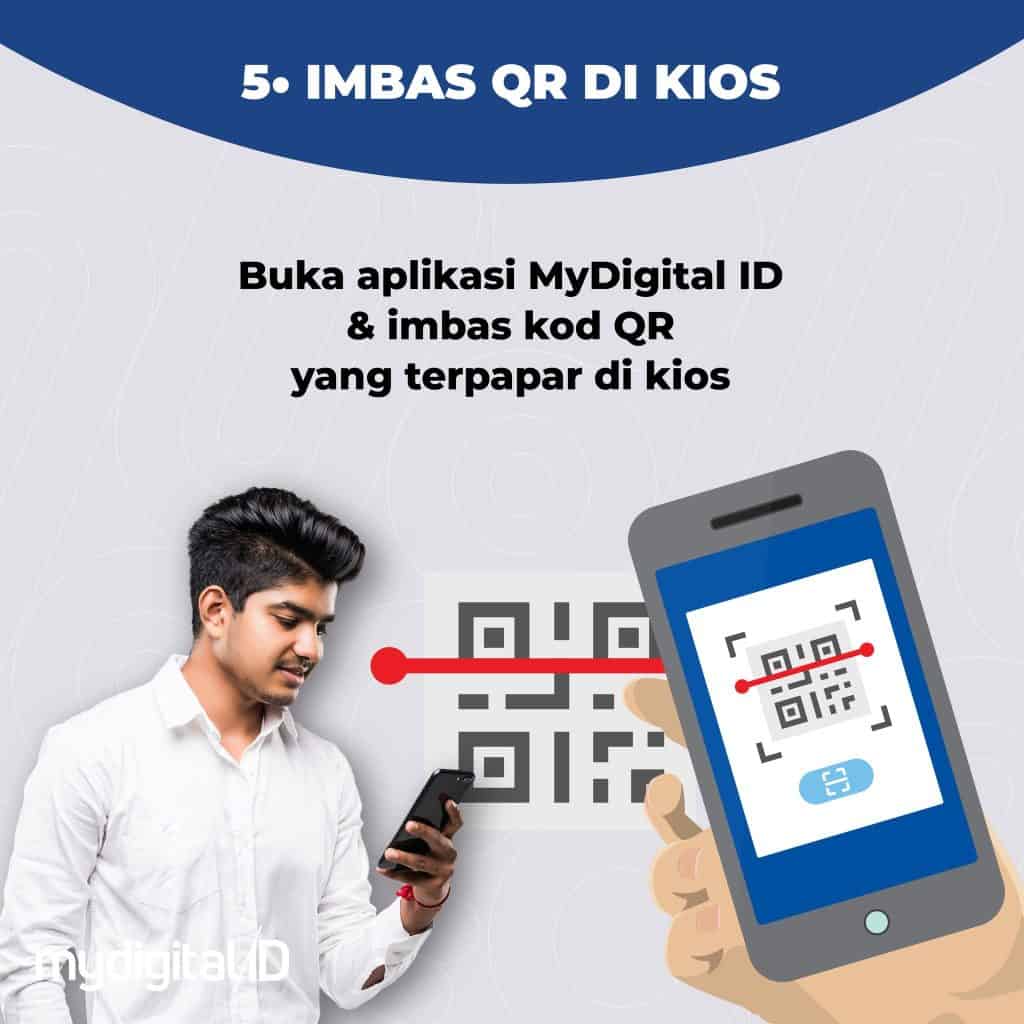
Tutorial on How to Register / Login to MyDigital ID
How to Register for MyDigital ID By online
How to Register for MyDigital ID Via Kiosk
Enter BUDI95
Log in to the Telco Application
Log in to eCOSS
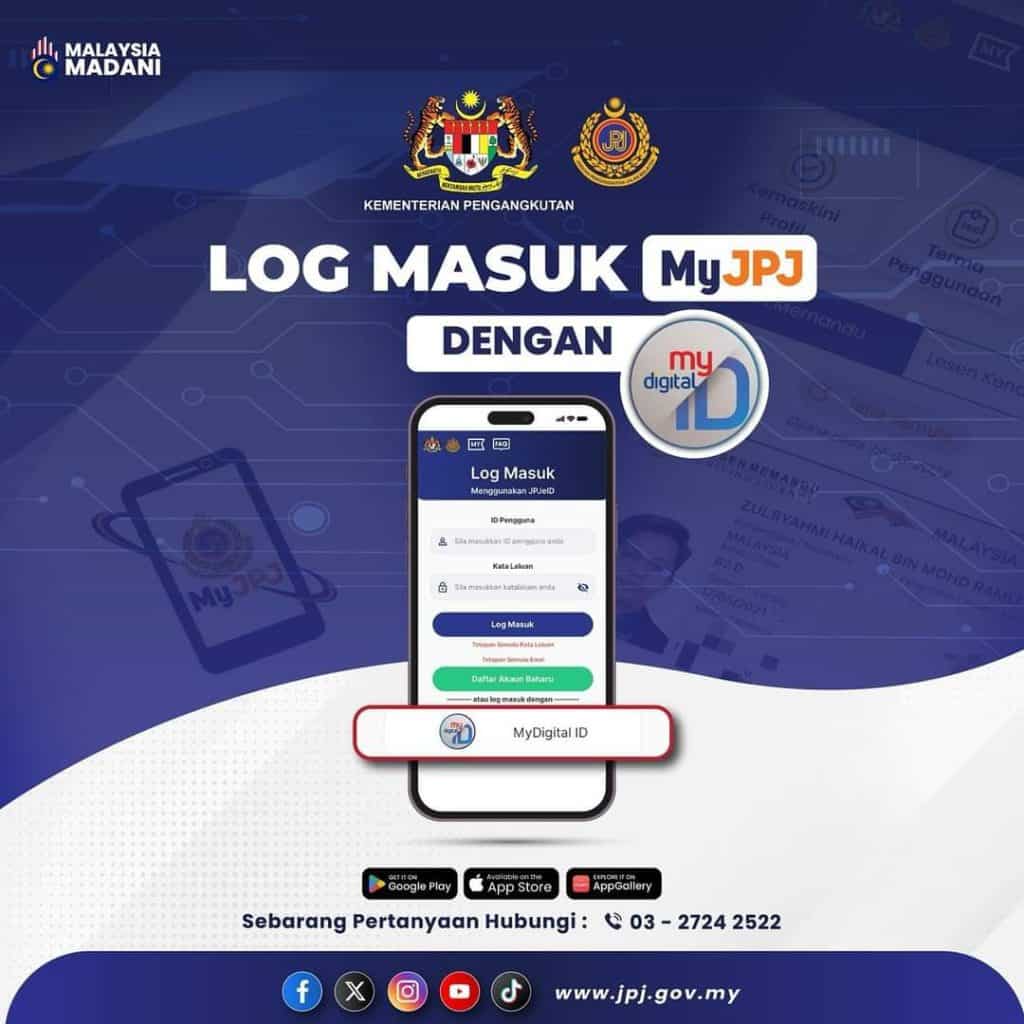
Login to MyJPJ if you have a MyDigital ID
Entered into MyJPJ If No MyDigital ID
Log in to MyNIISE
Log in to MyPTPTN
Log in to MyPay
Download the MyDigital ID App
To make it easier for you, you can now download the MyDigital ID application via your cellphone at the following link:
Further information
MyDigital ID is a government initiative. The public is encouraged to register and use MyDigital ID to ensure security from cyber threats to personal information and also access to the applications used.
For the latest info, please refer to the following channels:
MyDigital ID is a government initiative for secure and trusted digital identity solutions. Identity verification refers directly to government databases without storing any personal data. Also makes it easy to access various applications and online portals with just one password and one digital ID.
This means you can use your MyDigital ID to log in to various online applications and portals without requiring different usernames and passwords.
No. MyDigital ID does not replace MyKad for transactions at physical counters. It is only used as identification for online transactions.
MyDigital ID is the only online identity platform in Malaysia that is certified and guaranteed to be secure. With one password and one digital ID, it makes it easier to access various applications and online portals. Identity verification is carried out completely online and refers directly to government databases without storing any user personal data.
On line
You can log in to any app that has a MyDigital ID login option by entering a valid password. Access on portals: For access on portals that have a MyDigital ID login option, open the MyDigital ID app on the device, click “Scan QR”, scan the QR code displayed on the portal and enter a valid password. Mobile browser: Click the QR code on the login page (which will take you to the MyDigital ID app), enter a valid password, then you will be automatically logged in and returned to the portal page.
Stall
For physical registration, please visit a MyDigital ID kiosk near you. Make sure to bring MyKad/ MyTetera along with a mobile device that has an internet connection. Follow the steps displayed on the kiosk.
You can log in to any app that has a MyDigital ID login option by entering a valid password. Access on portals: For access on portals that have a MyDigital ID login option, open the MyDigital ID app on the device, click “Scan QR”, scan the QR code displayed on the portal and enter a valid password. Mobile browser: Click the QR code on the login page (which will take you to the MyDigital ID app), enter a valid password, then you will be automatically logged in and returned to the portal page.
This means that you can use MyDigital ID to log in to various integrated applications and online portals without requiring a different username and password.
Currently other login methods can still be used to access Government services online. However, the use of MyDigital ID is recommended to ensure the security of online transactions.
No. MyDigital ID does not require and will not use any chips or implants in users. This system obtains references and information directly from the National Registration Department (JPN) database.
No, MyDigital ID does not store any user biometric data.
No, MyDigital ID does not collect personal data or monitor users’ online activities.
No. MyDigital ID only allows one digital identity per user on one device only.
Yes, MyDigital ID Certificate is valid for 1 year from the date of registration. After the validity period expires, users can renew the digital certificate via the MyDigital ID application.
If the user’s mobile device is lost or damaged, the user can simply cancel the MyDigital ID at the nearest kiosk, or use the ‘Cancel Digital ID’ function in the application menu of any device that has the MyDigital ID application. Then, users need to register again on a new smartphone. The MyDigital ID application cannot be accessed by other people without the actual user password.
The login method using MyDigital ID does not require the transmission of any user secret key or password to the service provider. Instead, it uses QR code scanning via the MyDigital ID app, using the user’s mobile device. This method will prevent user password collection activities through fake websites. However, the security of user accounts on any online service depends on the service provider.
Also read:
PakarPBN
A Private Blog Network (PBN) is a collection of websites that are controlled by a single individual or organization and used primarily to build backlinks to a “money site” in order to influence its ranking in search engines such as Google. The core idea behind a PBN is based on the importance of backlinks in Google’s ranking algorithm. Since Google views backlinks as signals of authority and trust, some website owners attempt to artificially create these signals through a controlled network of sites.
In a typical PBN setup, the owner acquires expired or aged domains that already have existing authority, backlinks, and history. These domains are rebuilt with new content and hosted separately, often using different IP addresses, hosting providers, themes, and ownership details to make them appear unrelated. Within the content published on these sites, links are strategically placed that point to the main website the owner wants to rank higher. By doing this, the owner attempts to pass link equity (also known as “link juice”) from the PBN sites to the target website.
The purpose of a PBN is to give the impression that the target website is naturally earning links from multiple independent sources. If done effectively, this can temporarily improve keyword rankings, increase organic visibility, and drive more traffic from search results.