2026 e-Filing Login is the process of logging into the online taxation system through the official Malaysian Internal Revenue Agency (LHDN) portal using the MyTax platform to submit the 2025 Assessment Year Income Tax Form.
Starting March 1 2026, all individuals who are entitled to tax must submit their SPT via the IRB e-Filing system on the MyTax portal.
This system allows taxpayers to fill out, check and send tax forms more quickly, safely and without having to come to an LHDN branch.
Refer to the guide to registering for the MyTax portal and how to easily log in to e-Filing 2026 for the first time below.
What is 2026 e-Filing Login?
2026 e-Filing Login refers to the process of logging into the online taxation system via the official Malaysian Internal Revenue Agency (LHDN) portal using the MyTax platform to submit the 2025 Assessment Year Income Tax Form.
Through this system, taxpayers can:
- Fill out and submit tax forms online
- Update eligible 2025 tax relief claims.
- Check the refund process if there is an excess tax deduction (PCB).
- Make tax payments
How to Login to e-Filing 2026 via MyTax LHDN
How do I log in to the MyTax portal to complete e-Filing 2026?
To complete the 2026 e-Filing, you must log in to the IRB MyTax portal. Previously, you needed to register first to log in to the MyTax portal.
A. How to Register a MyTax Account for the First Time
For first time users, you will need:
- No Tin – get it via e-Register.
- Pin No – via e-CP55D form or using the e-KYC face scan method.
- A MyTax Digital Certificate will be generated via the URL sent to email after completing the Pinless application.
To make your taxation easier, here is a complete guide on how to log in to the 2026 e-Filing system via the official MyTax IRB portal:
When can I log in to e-Filing 2026?
How to Login to e-Filing 2026?
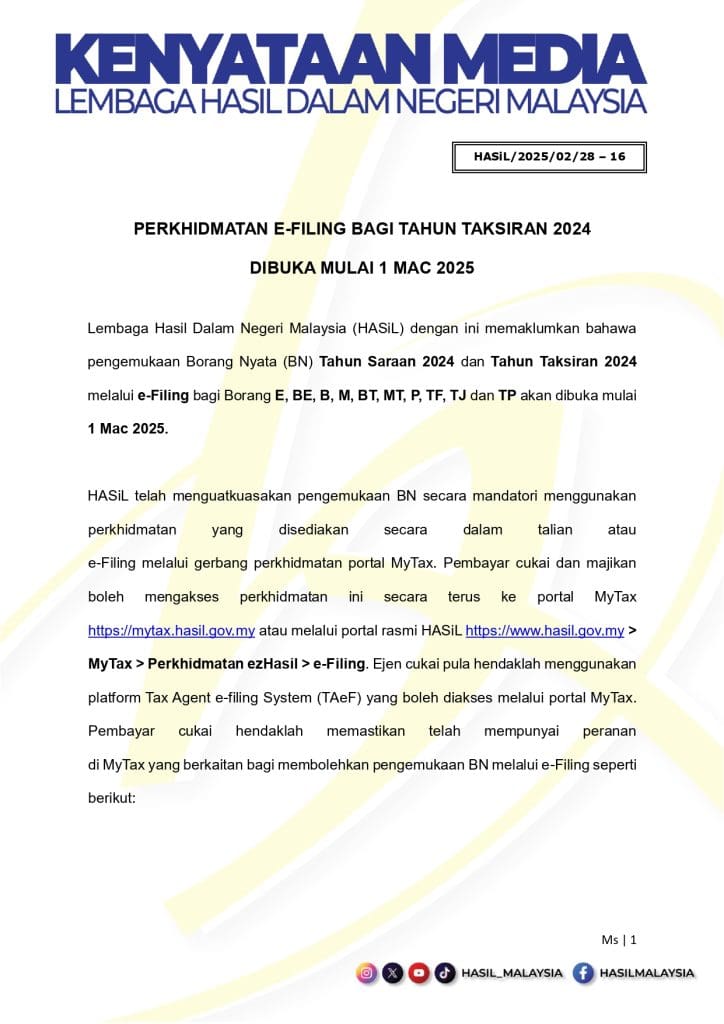
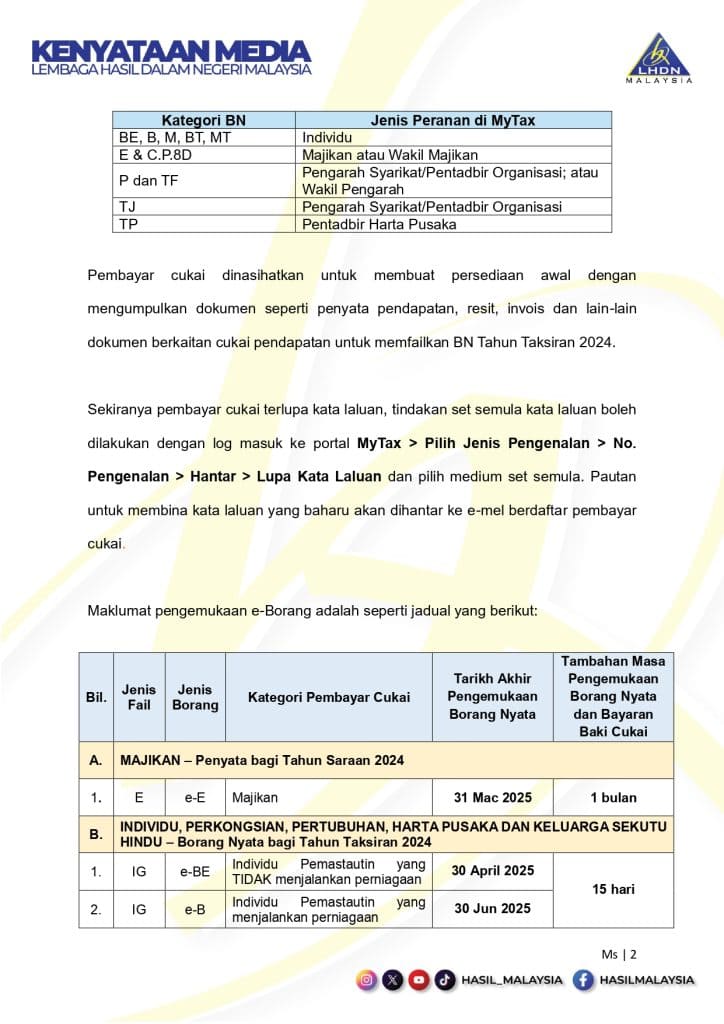
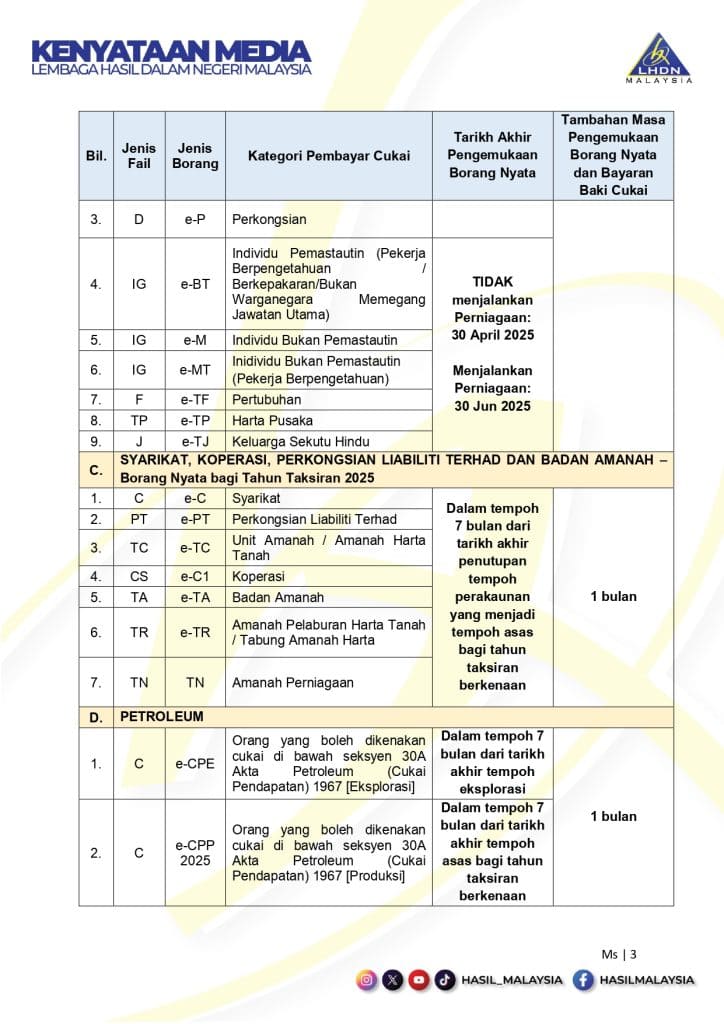
MEDIA STATEMENT: 2024 ASSESSMENT E-FILING SERVICE OPEN FROM 1 MARCH 2025
FEBRUARY 28, 2025
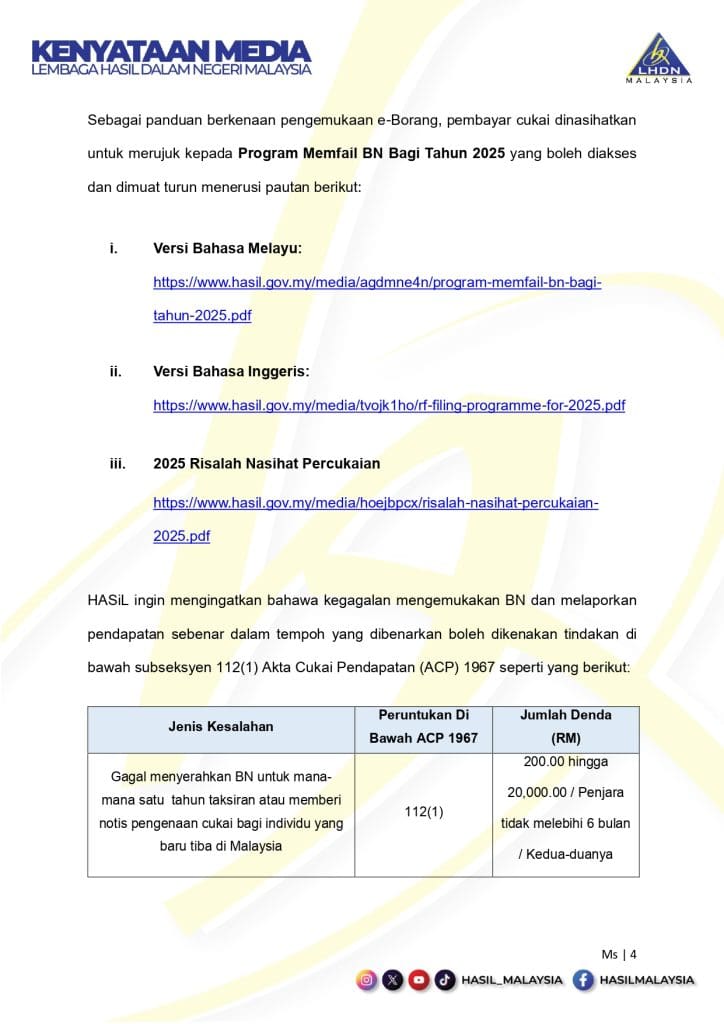
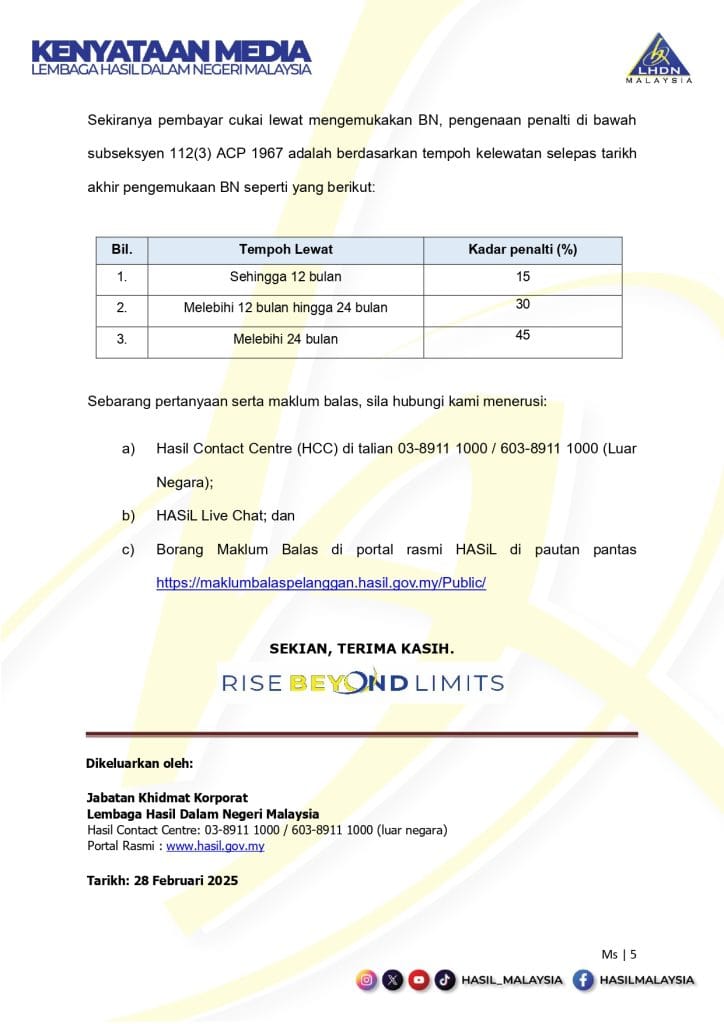
So, for those who still don’t have an account, you can register on this portal.
Let’s share more about LHDN MyTax Portal.
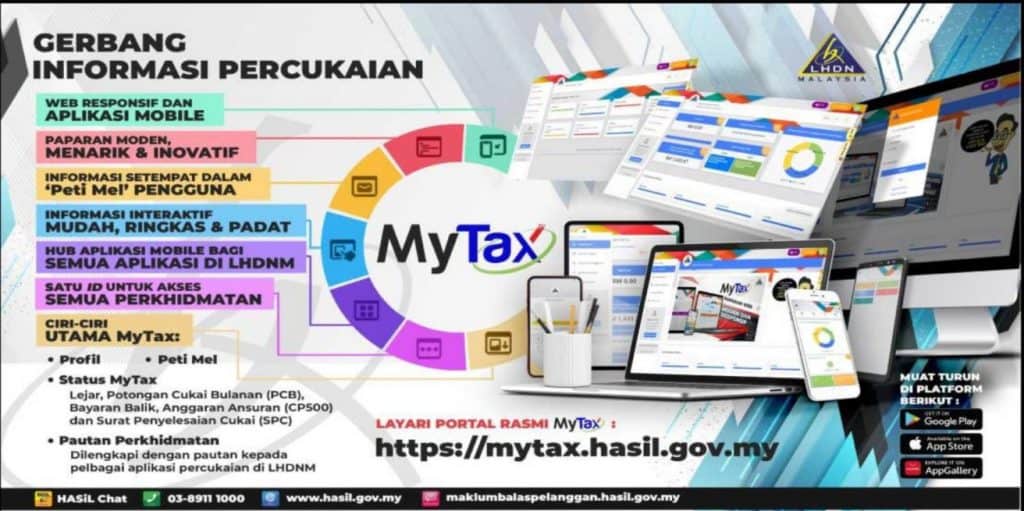
What is the MyTax IRB?
This portal functions as an integrated information portal for Taxpayers who already have an e-Filing ID and Password.
What can we check on this portal?
The following are things that we can check ourselves on the MyTax portal:
- Current tax balance, if any tax arrears or excess credit
- The date the previous year’s excess credit was paid back to us
- List of PCBs deducted by employers from our salaries (review limited to current and previous years only)
- Summary of income tax ledger for the last 10 years
- Details of the income tax ledger for the last 5 years
- Register for CP500 installments
- SPC records
Apart from that, this portal also provides direct links to other services such as ByrHasil (read Pay Results), e-Filing, e-Update and many more ‘e’s.
After that, if you want to check the current status of our income tax, or want to check whether the PCB made by the employer has been entered into our ledger, try checking first on this portal.
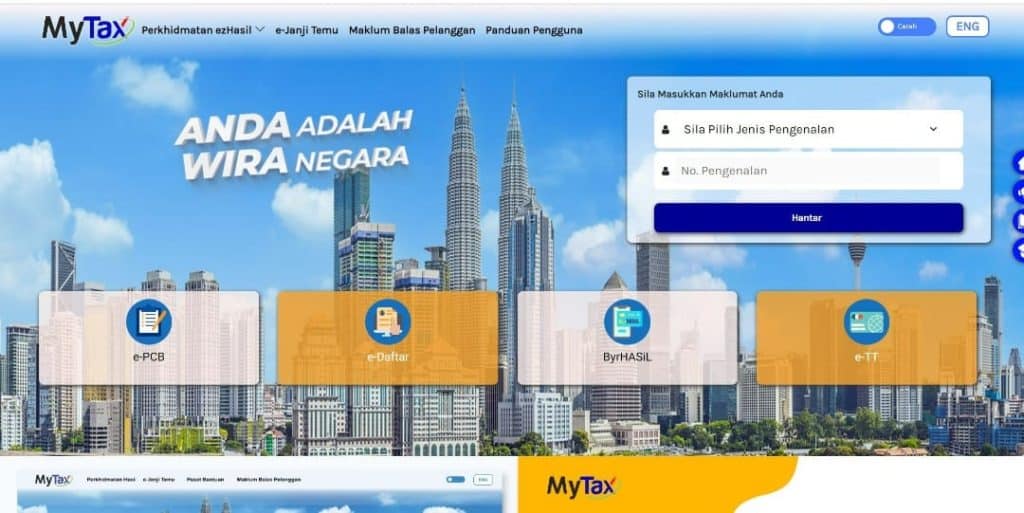
How to Register for MyTax & Login First Time

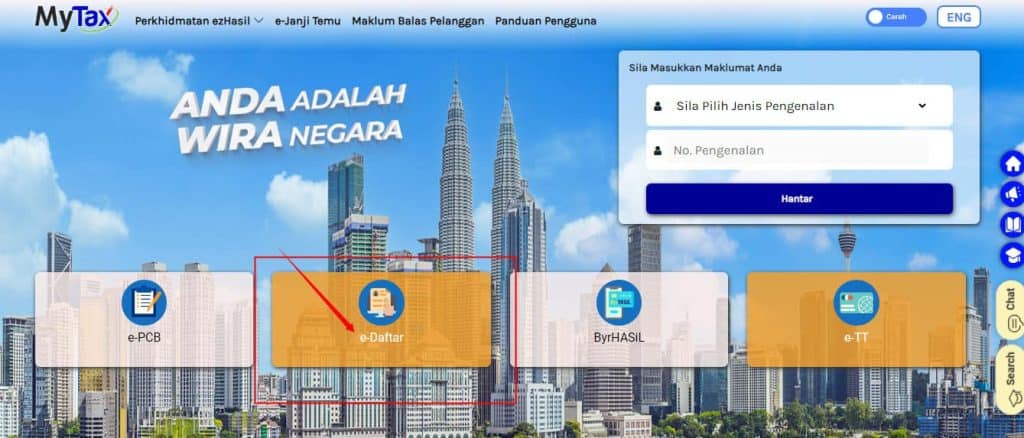
MyTax registration can be done online (on line) via the e-Daftar application on the MyTax Portal, namely
The supporting documents required are as follows:
Registration via e-Register:
- Passport for non-Malaysian citizens
- Business Registration Certificate (for individuals running a business)
First Time Login
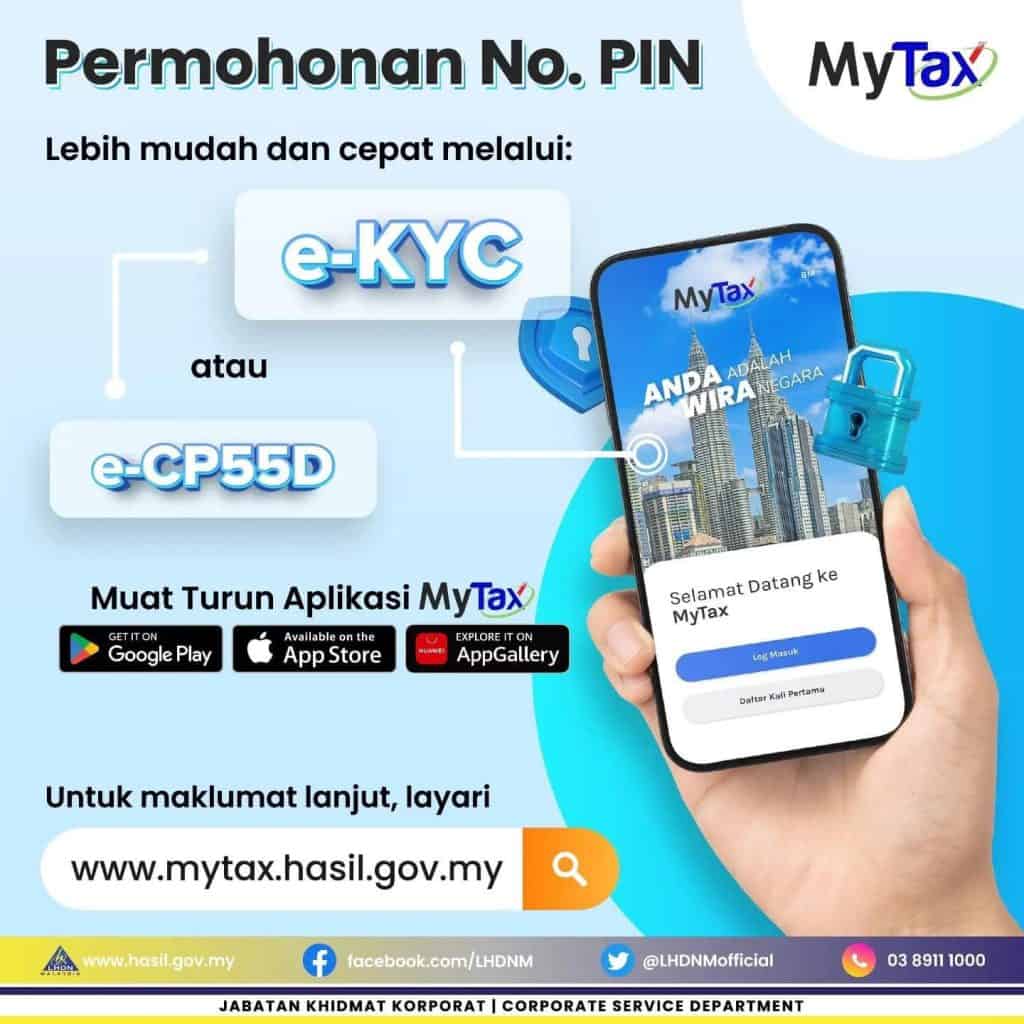
For those of you who have registered but don’t have a Digital Certificate, there are 2 ways you can register, namely:
- e-CP550 – applications on the web
- e-KYC – facial identity recognition on mobile
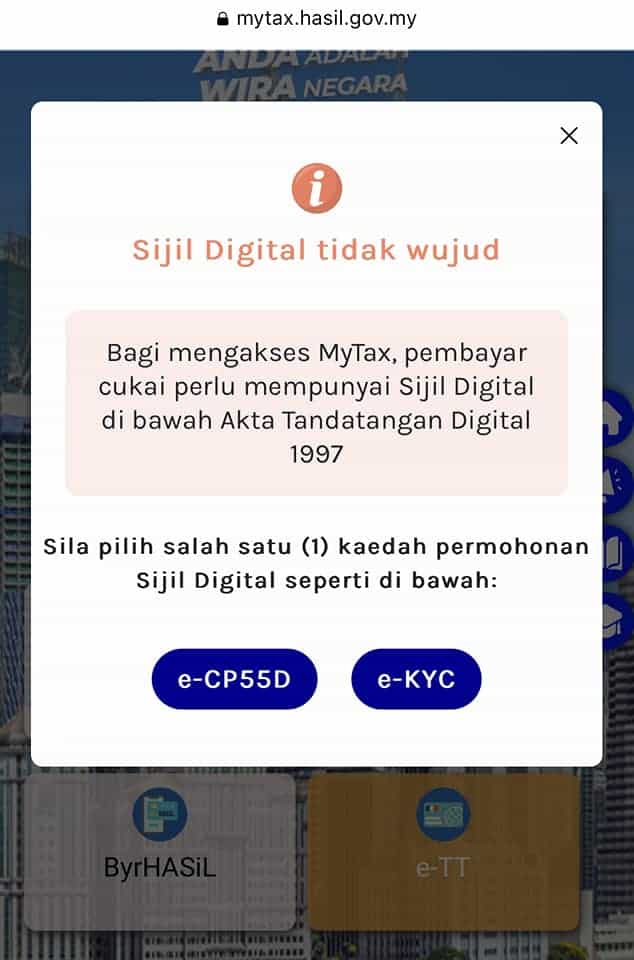
How to Register a Digital Certificate with No Pin Online
- Visit the website
- Please Select Identification Type
- Enter the identification number and click “Submit”. The “Digital Certificate Missing” display will appear.
- Please select e-CP55D – First time login application form online via the MyTax website
- Attach a copy of the front and back colored KTP then click send
- Please check the email and click on the given link and create a password.
Please activate the digital certificate and register your digital certificate with the given pin number and verify the basic information.
Please refer to the complete manual:
How to Register & Fill in the 2025 e-Filing Form on MyTax
Here are the MyTax login steps to start e-filing 2025:
STEP 1: E-REGISTER LOGIN
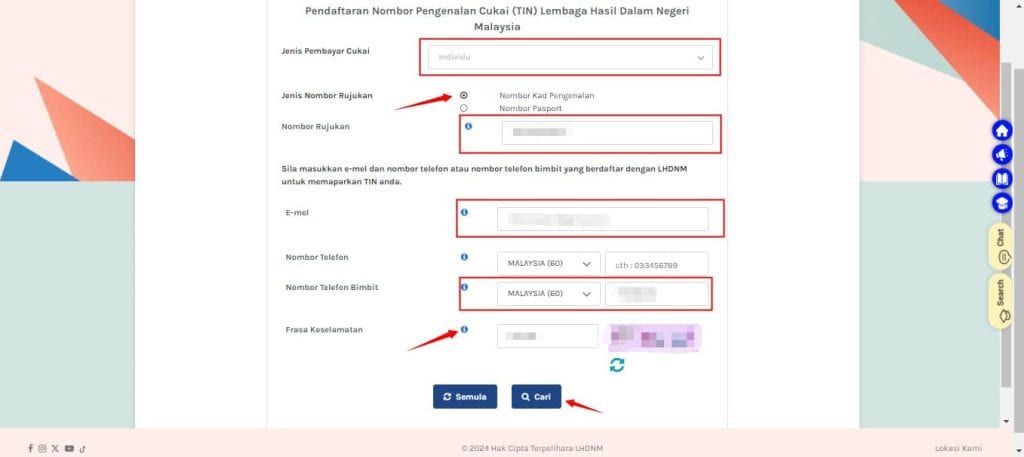
STEP 2: CLICK THE ‘SEARCH’ BUTTON
STEP 3: LOGIN
Visit mytax.hasil.gov.my, and ‘Log In’ using your ID card and password after registering.
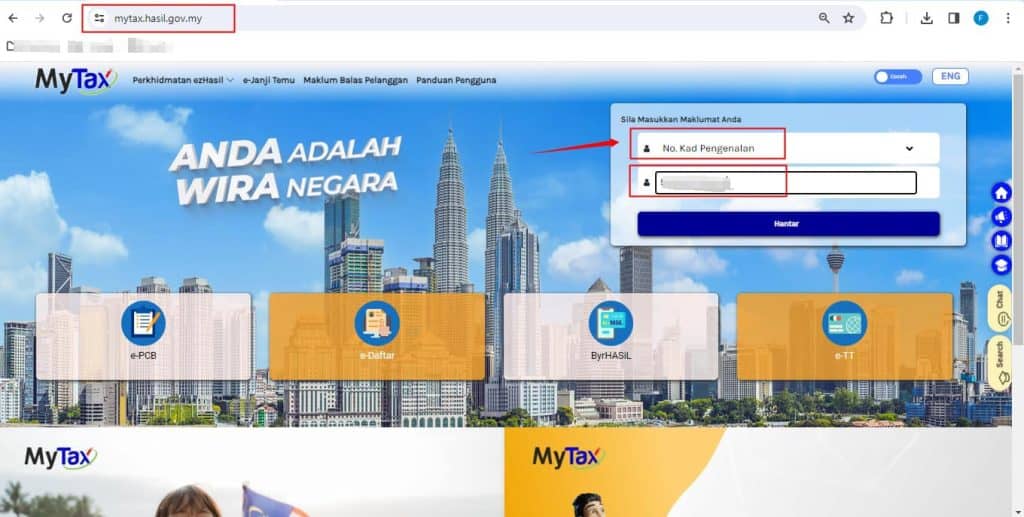
STEP 4: SELECT 2025 E-FILING MENU
After that you will go to this page, the LHDN has been updated, you can continue to click on the right, e-Form for ‘2025’

STEP 5: COMPLETE THE INDIVIDUAL DECLARATION FORM
Part 1: On the left there are 5 parts that need to be filled in, complete everything for each part.
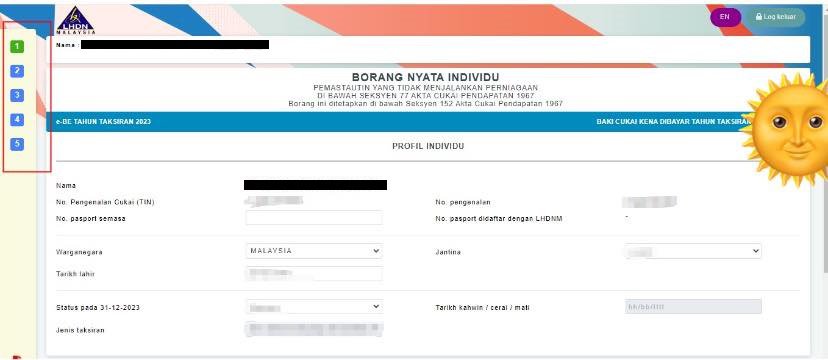
Part 2: Additional Information, complete everything. There are some employers who will pay tax, see the respective ‘Form EA’ or payslip.

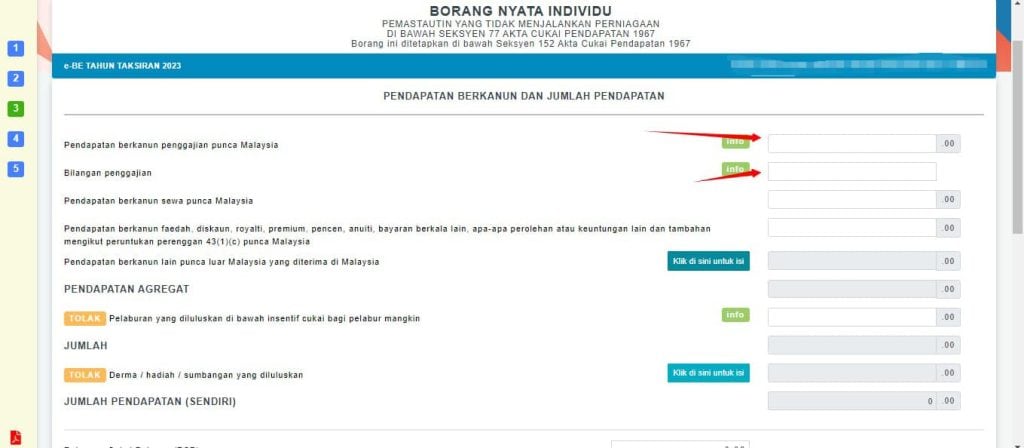
Part 3: Enter total annual income here, and if there was a job change last year, enter both companies.
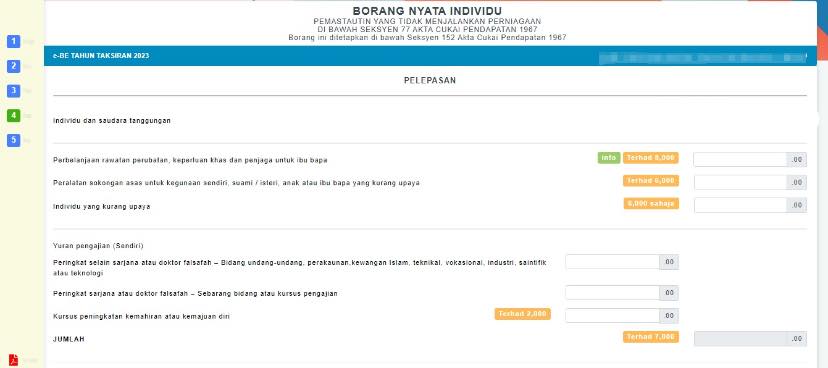
Part 4: Tax Exemptions that can be deducted from total income, see the 2024 IRB TAX EXEMPTIONS list or poster attached below:

Part 5: Summary, you can check what you have filled in all the sections above.
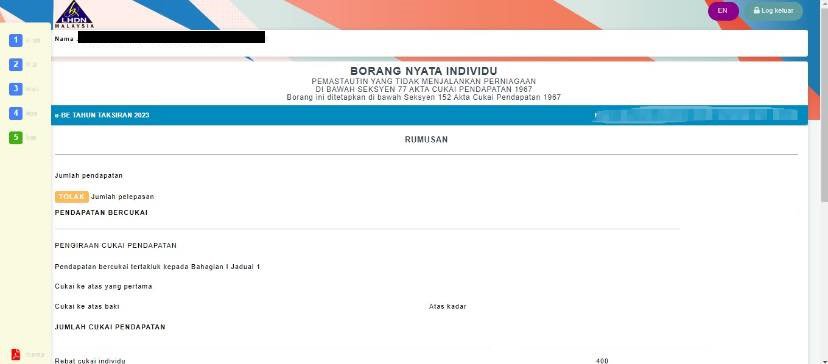
Final Part: Declaration, for ‘Sign & Send’, we can’t fix it, check it first before sending, you can click ‘Print Draft’ to see an example.

So, complete your Tax Assessment Letter/e-filing for 2025. Congratulations because you are a ‘National Hero’.
Image source/description: Fahmy Abdullah’s Facebook
Please refer to the complete guide and IRB checklist:
How to Check IRB Tax Arrears Status on the MyTax Portal
If you are already registered and have a PIN number, you only need to log in using the following link by filling in your identity card number: /
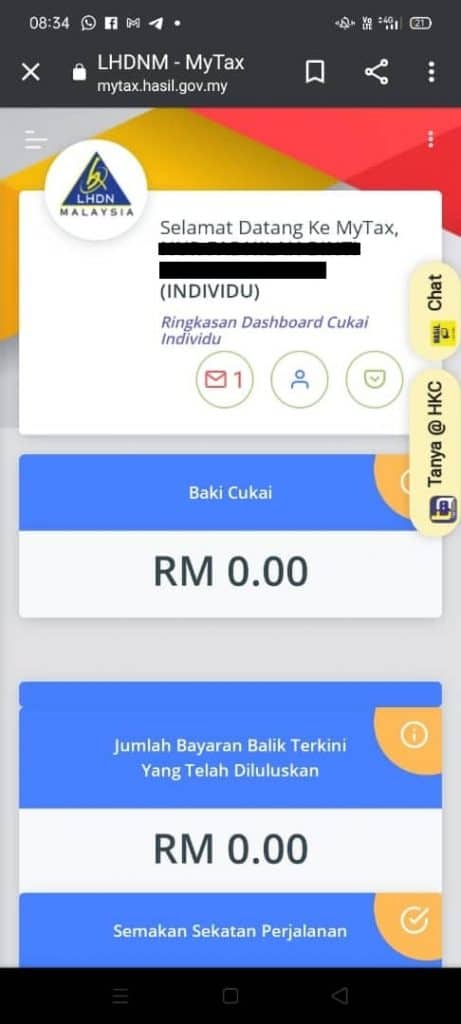
You will also see a Dashboard display like this.
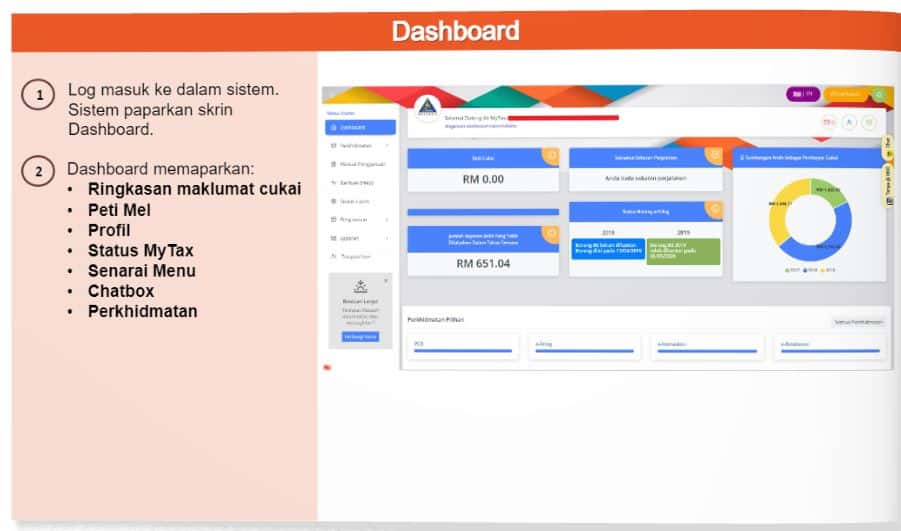
Easy right?
For those who have not registered, click LOG IN FIRST TIME.
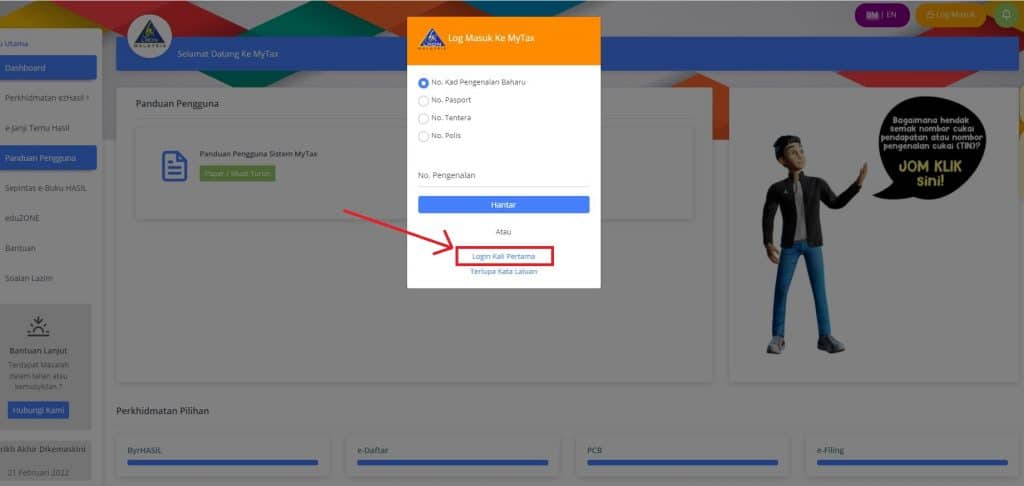
Then please enter No. PIN and No. Reference (Identification No.) and click Send.
2025 e-Filling Tutorial Content Guide
Also read: How to Check Fraudulent Phone Numbers Online (CCID PDRM)
Further information
If you have further questions or difficulties regarding how to fill in the 2025 e-Filling, you can refer to the following channel:
- Official portal www.hasil.gov.my or
- Care Line Results at 03-8911 1000 (Domestic) / 603-8911 1100 (Overseas)
Berita Terkini
Berita Terbaru
Daftar Terbaru
News
Jasa Impor China
Berita Terbaru
Flash News
RuangJP
Pemilu
Berita Terkini
Prediksi Bola
Technology
Otomotif
Berita Terbaru
Teknologi
Berita terkini
Berita Pemilu
Berita Teknologi
Hiburan
master Slote
Berita Terkini
Pendidikan
Resep
Jasa Backlink
Slot gacor terpercaya
Anime Batch